When a scrapbook page needs more than plain paper
Many scrapbook projects start with photos and a few handwritten notes, then stall when the page needs extra shape or colour. Printable sticker paper fills that gap neatly. It gives you a surface for themed words, date strips, tiny icons, border strips and decorative blocks that can be cut to fit the page instead of forcing every idea into the same size.
For family albums, school memories, travel books and baby pages, the appeal is practical. You can print what you need in the exact size you want, then trim it by hand or with a craft cutter. That helps when a page calls for a narrow banner, a round label or a cluster of small accents. Matte sheets suit soft, handwritten looks. Gloss gives brighter colour. Clear sheets work well where you want the page underneath to show through. Vinyl holds up better where pieces may be handled often.
- Use matte for journalling boxes and soft background pieces
- Use gloss for bright titles and colour-rich accents
- Use clear for layered effects over patterned paper
- Use vinyl for labels that get touched often
A practical scrapbook kit at the table
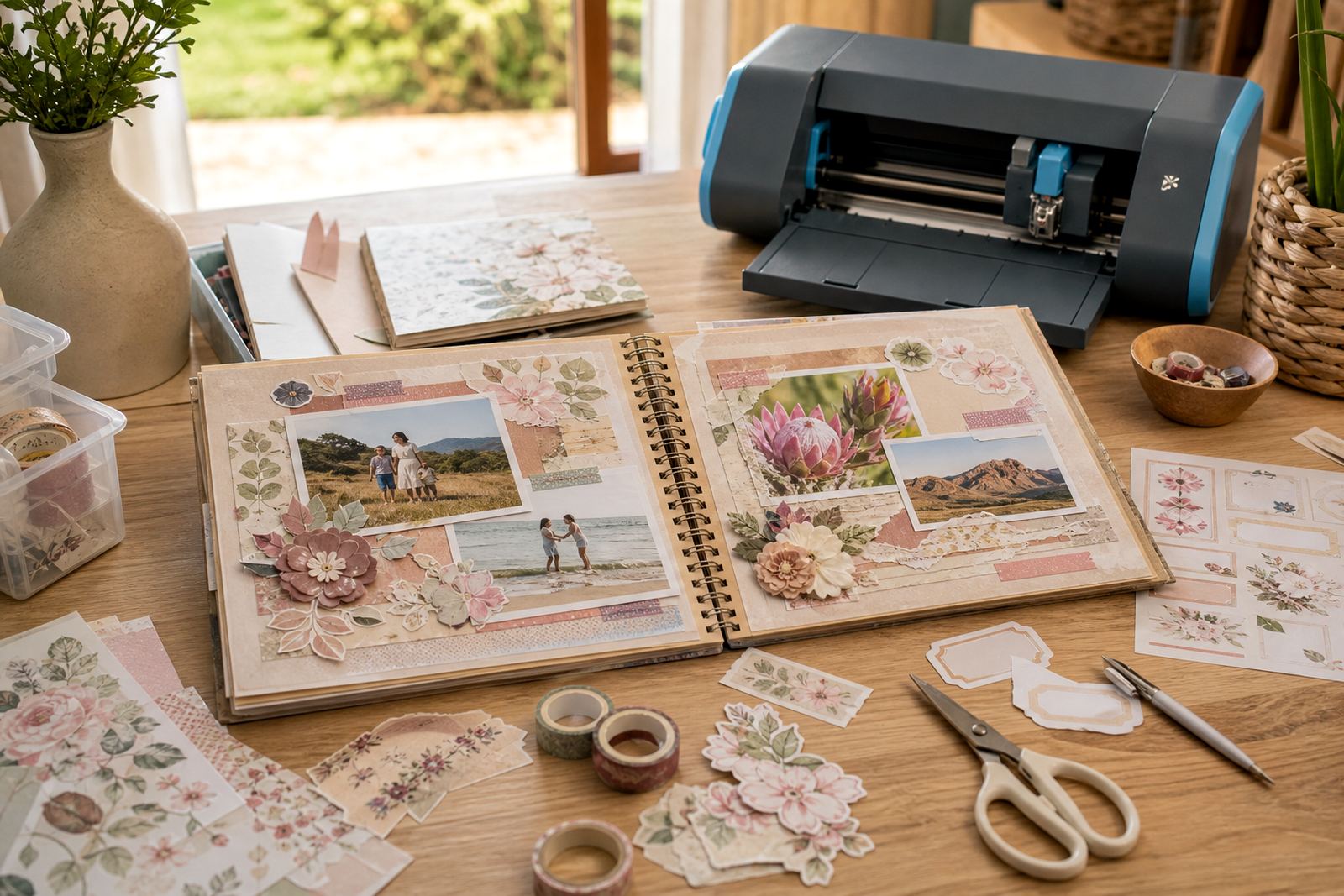
A good scrapbook workspace does not need a large setup. Most people working on albums at home use a benchtop inkjet or laser printer, a pair of scissors, a craft knife, a cutting mat and a ruler. Some also use a craft cutter for repeat shapes, especially circles, tags, borders and alphabet pieces. The point is not fancy equipment, just tools that keep edges clean and layout work steady.
Inkjet compatibility matters when you want rich colour on matte, gloss or clear sheets. Laser compatibility matters when you need crisp text or a page with many repeated labels. Always match the sheet type to the printer setting, because the wrong choice can lead to smudging, poor adhesion or a finish that does not sit well on the page. For craft cutters, a test cut is worth the effort, especially with thinner labels or detailed shapes where overcutting can lift the backing too far.
- Keep blades sharp for fine borders and small corners
- Store sheets flat so they do not curl at the edges
- Let printed sheets settle before cutting if the ink feels wet
- Use a test page before a full set of captions or frames
Matching the paper finish to the page style
Scrapbook work often depends on the feel of the page, not just the photo. Matte sticker paper gives a quieter look and is easier to write on if you want to add dates or short notes by hand. Gloss makes coloured illustrations, stickers and bold headings stand out more strongly. Clear sheets suit layered pages, especially where you want a caption or shape to sit over patterned paper without hiding what is underneath.
Vinyl is useful for pages that may be handled often, such as recipe scrapbooks, baby books or memory albums passed around during a family visit. Kraft adds a warmer, handmade look and works well with earthy themes, school projects and rustic layouts. Each finish changes how the page reads, so the right choice depends on the album, the colour palette and how the page will be used. In humid coastal areas around Cape Town, sheets should be stored carefully in a dry spot so they stay flat and easy to feed through the printer.
- Matte helps when journalling must stay readable
- Gloss suits bright themed accents and title pieces
- Kraft works for heritage pages and muted colour schemes
- Clear is useful when layered frames need a lighter touch
Planning captions, frames and tiny extras
Good scrapbook elements are usually planned in sets. A page might need one main title, two date labels, a few small icons and a frame around a quote. It helps to sketch the layout first, then group related pieces on the screen before printing. That reduces waste and keeps the page balanced. A set of captions printed together also makes colour matching easier, which matters when you want the whole album to feel consistent.
Leave space around small shapes so the cutter has room to work. If you are using hand cutting, avoid placing all the detailed elements too close together, because narrow gaps make trimming slower and less neat. When printing on sticker paper for scrapbook use, the layout should reflect the way the page will be assembled, not just what looks attractive on screen. A label that seems fine on its own may crowd a photo block once it is stuck down.
- Group captions, tabs and borders in one layout sheet
- Keep a little extra margin around cut lines
- Use repeated shapes for consistency across several pages
- Plan for both decoration and journalling space
Common mistakes on scrapbook pages
One common mistake is choosing a finish before thinking about the photo paper or patterned background. A high-gloss sticker can overpower a soft page, while a dull finish may disappear on a busy spread. Another problem is printing too many tiny pieces at once. Small captions and icons can look neat on screen, then become fiddly when you try to weed, cut or place them.
Printer settings also matter. If the paper type is set incorrectly, the ink may sit badly on the sheet or the image may not sharpen properly. Some crafters also forget to allow for the thickness of the backing when using a craft cutter, so the cut either stays too shallow or goes straight through the sheet. For hand cutting, the issue is often blunt blades or rushed corners. A slow cut is usually cleaner than a hurried one, and it saves wasting a sheet that could have held several page elements.
Labels for scrapbook pages should be tested on a single sheet before a full batch. That is especially useful for clear and vinyl sheet types, where the finish can change the way colour and text appear once printed.
Budget ranges for scrapbook element sheets
For scrapbook makers, the budget usually depends on the finish, the sheet size and how many elements need to be printed in one session. Small projects with a few decorative captions and a single set of frames can stay modest. Larger albums with matching page themes, multiple colours and repeated elements need more sheets and more time for layout. It is often cheaper to print a full page of mixed elements and cut them down later than to print each piece separately.
As a rough guide, hobby crafters often work within entry-level, mid-range and larger project budgets. Entry-level orders may cover a few sample sheets for testing finishes and printer settings. Mid-range orders usually suit a themed album or a full month of scrapbook pages. Larger orders are better for people making gifts, class packs or matching page sets for several albums. Delivery into Cape Town, Durban, Johannesburg, Pretoria, Bloemfontein, Stellenbosch and Paarl can be planned around the amount ordered, so the sheet count matters when estimating the final spend in Rand.
- Entry-level: test sheets and a few accent pages
- Mid-range: several themed pages or a small album set
- Larger project: repeated elements, labels and frame sets
- Delivery to multiple towns should be counted into the total order